
Key takeaways:
- A website builder helps you create a professional website without advanced coding knowledge.
- Website builders are a practical option for small businesses because they simplify setups.
- When choosing one, look for ease of use, customization, SEO basics, and built-in essentials like hosting and security.
Nearly three-quarters of people are online, and your website is often where they decide if your business is worth their time. That said, having a website isn’t just “nice to have” for your business.
Building a website can seem overwhelming if you think you need to learn coding or hire a website developer. Fortunately, that’s not required to build your own website, as long as there are website builders.
So, what is a website builder?
A website builder is a tool that lets you create and manage a website without coding. It comes with ready-made layouts, drag-and-drop editing, built-in features, and hosting.
In this article, we’ll cover how website builders work, when they make sense, and what to look for—especially for a small business or professional website.
What a website builder means
A website builder is a tool or platform that lets you create, edit, and publish a website even without coding knowledge.
It gives you the building blocks of a website and lets you arrange them visually. Instead of opening a code editor and writing HTML or CSS, you choose from website templates, add your content, adjust the design, connect a custom domain, and publish.
Most website builders or website maker platforms include:
- Website templates for different industries, styles, and site types
- A drag-and-drop editor for moving text, images, buttons, and sections
- Design elements such as colors, fonts, layouts, and image blocks
- Built-in web hosting or hosting options
- Custom domain connection tools
- Contact forms so visitors can reach you
- SEO tools for page titles, descriptions, and image text
- Basic security features to help protect your site
- Publishing tools that make your site live online
The code still exists, but it runs behind the scenes. You focus on how the website looks and what it says, while the website builder handles the technical structure that powers the page.
A website builder reduces the number of separate tools you need to learn before getting online. It gives you one place to design your pages, add your content, connect your domain, and publish your site. That’s why it’s popular with small business owners, freelancers, creators, and first-time site owners.
It’s also different from web hosting, though many website builders include hosting. If your website is a house, web hosting is the land it sits on. It gives your site a place to live online so people can visit it. The website builder, on the other hand, is the tool you use to design, build, and update that house.
When the builder and hosting come together, setup becomes much easier. You don’t have to connect as many separate services or understand the technical parts first.
Website builders are popular with small business owners, freelancers, creators, and first-time website owners. They make it easier to get a professional-looking site online without needing to understand the technical parts first.
How does a website builder work?
Website builders combine design, content editing, hosting, and publishing in a single platform. The exact steps vary by platform, but most website builders follow this basic process:
- Start with AI or a template
- Customize the design with a drag-and-drop editor
- Add pages, features, and business tools
- Preview, publish, and update your site
1. Start with AI or a template
Most website builders help you start with something already in place instead of a blank screen. Depending on the platform, you can begin with a website template, answer a few AI setup questions, or use both.
A website template is a prebuilt design you can customize with your own text, images, pages, and buttons. It usually includes:
- Ready-made page layouts
- Menu sections
- Image areas
- Headlines
- Button placements
- Contact sections
- Sample pages
An AI website builder offers a faster starting point. It asks about your business, goals, style preferences, and audience, then uses your answers to create a personalized website draft.
Both options are designed to make the first step easier. Instead of building every section from scratch, you can start with a working draft and edit it from there.
2. Customize the design with a drag-and-drop editor
After choosing a template or generating an AI draft, a drag-and-drop editor helps you shape your site.
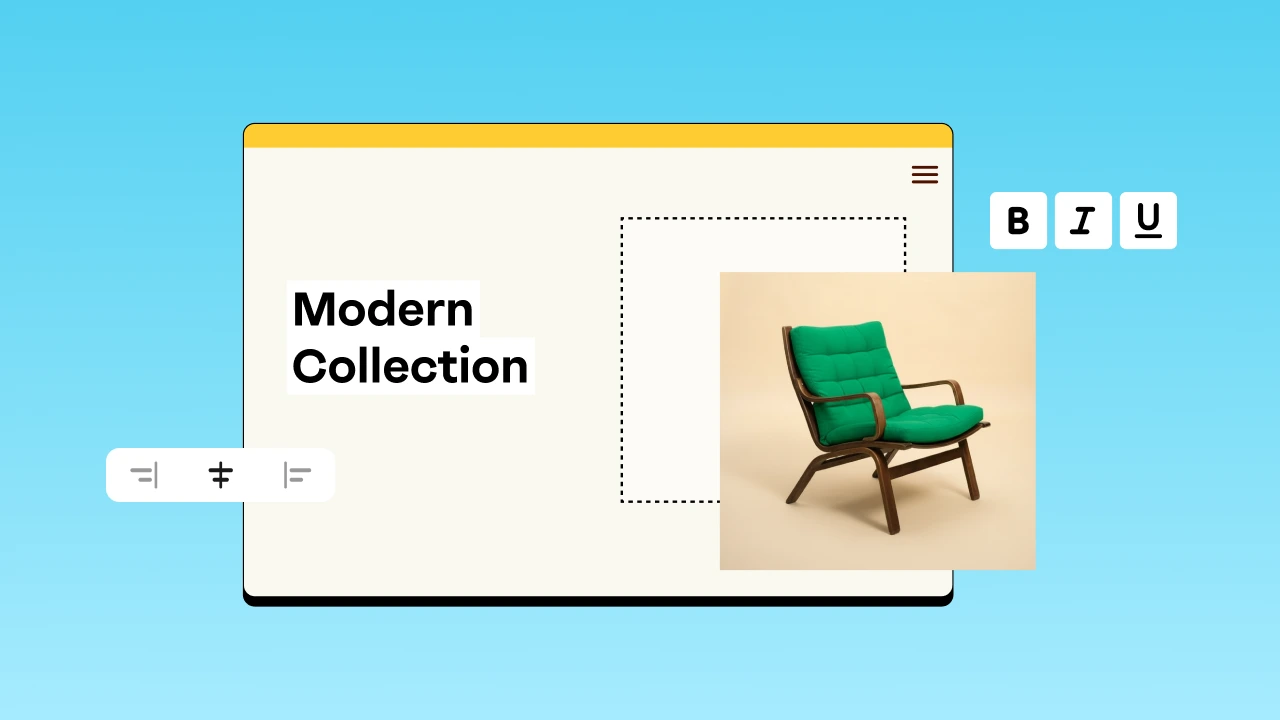
Drag-and-drop editing lets you move design elements visually. You can move text blocks, images, interactive buttons, or even an entire page section. Just click an element, place it where you want, and see changes as you work. It’s user-friendly.
You can experiment with different looks and resize elements until your site feels on brand. What you see is what your visitors will see, as your design matches what they see.
So even with a common template, your site still reflects your brand identity. Other elements you can update with this feature include:
- Brand colors
- Font styles
- Button shapes
- Spacing
- Image placement
- Section layouts
- Header and footer design
- Mobile layout settings
3. Add pages, features, and business tools
As your layout takes shape, add essential pages: Home, About, Services, Contact, and a Blog. You can also connect an online store for your physical or digital products.
Most builders also include built-in business tools that improve your site. Some lets you add contact forms to capture leads, a photo gallery to showcase your work, and social media links to stay connected.
Behind the scenes, Google Analytics and basic SEO tools help track your daily performance and improve visibility. These additions turn a simple layout into a fully functional e-commerce website or service hub.
4. Preview, publish, and update your site
Before your own website goes live, preview it to see how it looks on phones and computers. Previewing lets you check the design, links, buttons, forms, page flow, and layout before your visitors see it.
Hit publish when everything looks ready. Publishing makes your new website live on a temporary URL, your own domain name, or a custom domain name connected to the builder. Many platforms let you publish in a few clicks once your domain and account are set up.
You can still create or make changes after launching your site. Just log in, make edits or updates, and republish the page with a few clicks. Fresh information makes your site look professional and helps it show up in search results.
Why use a website builder?
Many small business owners, entrepreneurs, freelancers, and first-time website owners use a website builder because it solves real problems they face when building a site. For instance, with a website builder:
- You can launch without coding knowledge
- You can move faster from idea to launch
- You can keep costs more manageable
- You can manage updates yourself
You can launch without coding knowledge
What is a no-code website builder? It’s a website builder designed to let you create and manage pages without coding knowledge or writing custom code. You build everything visually.
But no code doesn’t mean no control. It simply means the technical side is handled for you. You still control the message you write, the images you select, how to update the design, and the actions you take next for your visitors. You’re only given beginner-friendly setup and templates, but you can still end up with a professional site.
You can move faster from idea to launch
Speed is one of the biggest reasons to use an AI website builder or a website maker.
Building a website from scratch takes months. There’s a lot to plan, design, and code—especially for complex websites. But this can be too much for a simple, first website.
A website maker cuts that time down to days or even hours. AI-generated drafts and pre-built templates give you a strong head start. You also skip time-consuming tasks, like server setup, since built-in publishing tools handle them for you. The time saved can be used to refine your new website.
This speed, especially, helps small businesses, freelancers, and the like create a website and get it live quickly. If you have a product launch coming up, you can get a page ready in just a few clicks.
You can keep costs more manageable
Website builders are often more affordable than custom development because you’re not paying a developer or agency to build every piece from the ground up, which can cost thousands of dollars. A platform subscription costs much less.
If you want to test things first, you can quickly search for what a good free website builder is and try one. A free plan or free website lets you practice without paying up front. However, free plans may limit features such as storage or the use of a custom domain.
For a professional site, paid plans are usually the better choice. They offer more advanced features and may include a free domain depending on the plan. Even then, they’re still far more cost-effective than hiring a developer.
A free option is great for practice, but paid plans help you build a polished, professional site.
You can manage updates yourself
A website should not be frozen after launch. Especially as a small business, your offers, hours, service areas, and pricing may often change. And a user-friendly website builder lets you manage those updates yourself. You never have to wait for a developer to fix small issues like a typo.
These updates you can make on your own website anytime include:
- Publishing or editing a blog post
- Updating a description
- Adding a new product or removing out-of-stock items
- Replacing a team photo
- Editing a contact form
- Updating or adding testimonials
Just make the change yourself when you notice or need it. The faster you update your business website, the more accurate and useful it stays. Fresh content also helps build trust and encourages visitors to take action.
Who are website builders best for?
Website builders are best for people who need a professional website without complex custom development. They work well when your main goal is to present your business clearly, collect leads, sell simple products, share content, or build credibility online.
If you fall into any of the groups below, a website builder is a strong fit:
- Small business owners who need a business website with services, hours, contact details, and trust-building content.
- Freelancers who need a portfolio, service page, project gallery, testimonials, and inquiry form.
- Entrepreneurs testing a new idea before investing in a larger custom site.
- Creators or bloggers building an audience around content, resources, or personal expertise.
- Local service providers who want customers to find them online and contact them quickly.
- Sellers starting a simple online store with product pages, checkout, and inventory management.
- Nonprofits, clubs, and community groups that need an easy way to publish updates and collect interest.
- Event organizers who need a landing page, schedule, registration link, or sponsor information.
- Coaches, consultants, and appointment-based businesses that need booking and lead capture.
On the contrary, a website builder may not be the best fit for complex websites with highly custom workflows. For example, a large marketplace, a custom SaaS platform, an advanced membership portal, or a site with unusual integrations may require a CMS, a developer, or a custom setup.
But for many first websites and growing small-business sites, a builder offers the right balance of speed and control.
Benefits and drawbacks of a website builder
A website builder solves many common website problems, especially for beginners and small businesses. But it also has limits. The right choice requires weighing the tangible advantages against the realistic limitations. And understanding both sides helps you make an informed decision.
Benefits of using a website builder
Why use a website builder? Its biggest benefit is helping you get a good website online without making the process harder than it needs to be.
Website builders are helpful because they offer:
- Faster setup: Templates, AI-generated drafts, and guided tools reduce the time it takes to start.
- Lower technical barrier: You can build without writing code or managing complex technical settings.
- Lower starting cost: A builder is often more affordable than custom development.
- Built-in templates and design tools: You get layouts, sections, colors, fonts, and page structures to work from.
- Easier updates: You can update text, images, services, forms, and products yourself.
- Built-in hosting or domain connection: Many builders include web hosting or make domain setup easier.
- Useful business features: SEO tools, contact forms, social links, analytics, and e-commerce tools may be included.
- AI support: An AI website builder can help you create a stronger first draft faster.
In short, a website builder makes it easier for beginners and even experts alike to launch a professional site without getting lost in technical details.
Drawbacks of using a website builder
Understanding the drawbacks helps you decide if choosing a website builder fits your goals and business needs.
A website builder usually gives you less flexibility than custom code. You work inside the platform’s templates, design system, feature set, and editor rules. This may be enough for many sites, but it can limit unique layouts or specialized workflows.
Other common drawbacks include:
- Less flexibility than custom code: You may not be able to build every custom layout or feature.
- Paid-plan requirements: Some advanced features may require a paid plan.
- Template limitations: Some templates are easier to customize than others.
- Platform limitations: Moving a site from one builder to another may not be simple.
- Storage space limits: Free or lower-tier plans may restrict media, pages, or files.
- Third-party apps may be needed: Specialized features like advanced CRM , membership access, complex product filtering, or deep integrations with internal systems may require additional tools.
- Complex websites may outgrow the builder: Larger sites may need WordPress, another CMS, a developer, or custom development.
Over time, some builders fall short as businesses grow.
So choosing the right website builder means matching it to your current needs and future plans—especially if you expect to scale beyond simple sites or complex websites later on.
What is a good website builder?
A good website builder aligns with your immediate goals, your technical comfort level, your financial budget, and your future plans. Choosing the right website builder means checking a few key features before you commit.
When reviewing your options, look for these features:
- Beginner-friendly setup that helps you get started without confusion
- Professional website templates that match your industry and can be customized
- A drag-and-drop editor that makes text, images, buttons, and sections easy to update
- AI tools or guided setup if you want a faster first draft
- Custom domain support so your site can live at a professional web address
- Mobile-friendly design so pages work well on phones, tablets, and desktops
- SEO tools for page titles, meta descriptions, image alt text, URLs, and basic search settings
- Contact forms and social media integration so visitors can reach you and follow you
- Online store tools if you plan to sell products
- Inventory management if you need to track stock
- Reliable hosting and security essentials so your site stays accessible and protected
- Helpful support, tutorials, and guidance when you get stuck
- Room to grow into more pages, marketing tools, appointments, email, or e-commerce features
When evaluating what makes a good free website builder, remember that basic free plans exist primarily for testing. A paid subscription remains the standard for launching a professional site. It should help you launch confidently and grow without forcing a rebuild too soon.
As Angela Skane, Content Strategy Manager at Newfold Digital, notes: “The best website builder is the one that supports your immediate launch while offering enough flexibility to accommodate your future business growth.”
Need a name for your site?
Use Domain.com to search for a custom domain or explore AI-generated name ideas that fit your brand.

How Domain.com helps you build with confidence
Domain.com helps you turn an initial idea into a successful launch. We provide integrated tools that support your building, branding, visibility, and protection efforts. You consolidate your digital foundation into a single, reliable location.
Our Website Builder is built for no-code site creation. It can help you start faster by using AI to create a starter website, then gives you drag-and-drop tools so you can customize text, images, sections, and branding. You can connect our AI Website Builder with a custom domain, or use the AI Domain Generator if you need naming support.
Every domain purchase includes access to essential business tools to support your setup and growth:
- Coming Soon Page: Build anticipation before your official launch.
- AI Logo Builder: Create a brand-ready visual identity in minutes.
- Link in Bio: Connect your important links onto one page for your social profiles.
- Customers App: Manage client inquiries and contacts efficiently.
- Marketing Calendar: Organize your upcoming campaigns and promotional events.
- Social: Schedule posts and track engagement across your channels.
- Checkout: Launch a simple product selling and accept payments easily.
- Email Marketing: Manage your newsletters and track audience engagement.
Security also belongs in the plan from the start. An SSL certificate helps encrypt the connection between your site and visitors. For communication, Google Workspace through Domain.com can give your business a custom-domain email address along with productivity tools like Drive, Calendar, Docs, Meet, and more.
If you prefer a different setup, we also offer web hosting and WordPress. Hosting can be the right fit if you want to build with a separate CMS or need more control over your professional website.
Whether you’re a small business or launching your first site, our website maker gives you the tools to build and grow with confidence.
Frequently asked questions
A website builder is a tool that lets you create, edit, and publish a website without advanced coding knowledge. It usually includes templates, visual editing tools, hosting, and publishing features.
A no-code website builder has a drag-and-drop editor that lets you build pages without writing custom code. You edit visually while the builder handles the technical structure.
Using a website builder helps you create a website faster, with less technical work and a more beginner-friendly setup. It is useful for small businesses, freelancers, creators, and first-time website owners.
A good website builder is easy to use, flexible, mobile-friendly, secure, and built with SEO tools, templates, contact forms, support, and features that match your goals.
A good free website builder lets you test the editor, build basic pages, and understand the workflow. A free plan is helpful for testing, but professional sites usually need paid features.
Yes. Many website builders support online stores or ecommerce websites. Look for product pages, secure checkout, payment options, inventory management, shipping settings, and tools that help you sell products clearly and reliably.
Build your website with more control and less guesswork
Building your website doesn’t require advanced programming, custom development, or a large budget. With a website builder, you can create and publish a professional website, update pages, and grow your own website at a pace that fits your business.
Choosing the right website builder depends on your goals, budget, and the features you need.
When you’re ready to take control, Domain.com helps you start with the essentials and grow from there—choose a domain, build your site with an AI website builder, secure it with SSL and protection tools, and add features that support your small business as it grows.