

Key takeaways:
- Buying a domain name is usually quick and straightforward, but it requires a clear understanding of pricing, renewals, registrar credibility, and ownership.
- A strong domain name should be simple, memorable, and easy for customers to connect with your brand.
- To keep your domain useful and secure, you’ll need to verify ownership, manage renewal settings, connect it to your website, and avoid mistakes that could disrupt your online presence.
Learning how to buy a domain name is a simple process that usually takes just a few minutes through a domain registrar. Still, first-time buyers should know what happens beyond the initial domain registration, including pricing, renewals, ownership verification, and post-purchase setup.
Most domains are registered annually and often cost around $10–$20 per year, depending on the domain name, extension, registrar, and any add-ons you choose. To keep your domain active, you’ll also need to renew it before it expires.
This guide walks you through choosing the right name, comparing registrars, checking availability, buying a domain name, verifying ownership, and avoiding common mistakes. You’ll learn how to buy a domain and connect it to the website your small business needs.
What is a domain name?
A domain name is the web address people type into a browser to visit your website. It gives your business a recognizable presence on the internet, so customers do not have to remember a long string of numbers or technical details to find you.
A domain usually has two main parts: the name and the domain extension. For example, in yourbusiness.com, yourbusiness is the name, while .com is the domain extension. The extension, also called a top-level domain, helps categorize the domain or indicate the type of website it represents.
For a deeper beginner-friendly breakdown, read our guide on what a domain name is before you move into the buying process.
Before you buy a domain name
A good domain name should feel easy for customers to recognize, type, and trust. It does not need to be clever or complicated. In most cases, the best choice is the one that clearly connects to your business name and supports the brand identity you want to build online.
Start with your desired domain name. If your exact business name is available, that is usually the strongest option. If it is already taken, look for a close variation that still feels natural, professional, and easy to say out loud. Avoid spellings that customers may misremember, especially if they hear your domain in conversation, on social media, or in an ad. Our guide on choosing a domain name provides in-depth coverage of best practices.
Your domain extension matters too. The .com extension is familiar to many customers, but other options may be better suited to your location, industry, or audience. The right domain extension should make your website feel credible and easy to find, not harder to remember.
Cost is another detail worth checking before you buy. Review:
- First-year registration price
- Renewal price
- Add-ons like privacy protection, email, or security tools
- Whether the name is listed as one of the premium domains
Premium domains often cost more because they use short, memorable, or high-demand words. A low first-year price can also become more expensive later if the renewal price is higher than expected.
Finally, choose a domain registrar with clear pricing, reliable support, and simple account management. It is also smart to run a basic trademark check before you purchase, especially if your unique domain name is close to another established brand. That small step can help you avoid confusion or possible legal issues later.
How to buy a domain name in four steps
Learning how to buy a domain name is easier when you follow a clear process. On Domain.com, you can move from idea to domain registration in four main steps: search for your domain name, choose an available option, review the purchase details, and complete checkout through the domain registrar.
Each step helps you confirm that the domain fits your business, budget, and future website plans. The process is simple, but it still helps to know what to look for before you buy a domain name. Here’s how to buy a domain with more clarity and confidence.
- Search for your domain.
- Choose a domain extension.
- Select your domain and review options.
- Add to cart and checkout.
Step 1: Search for your domain
Start by entering your desired domain name into our domain search tool. This step helps you check domain name availability before proceeding with the purchase.
Use your business name, brand name, or main idea as the starting point for the search. If the exact domain name is available, you can review the result and continue to the next step. If it is already taken, the tool may show alternative options with different wording or extensions.
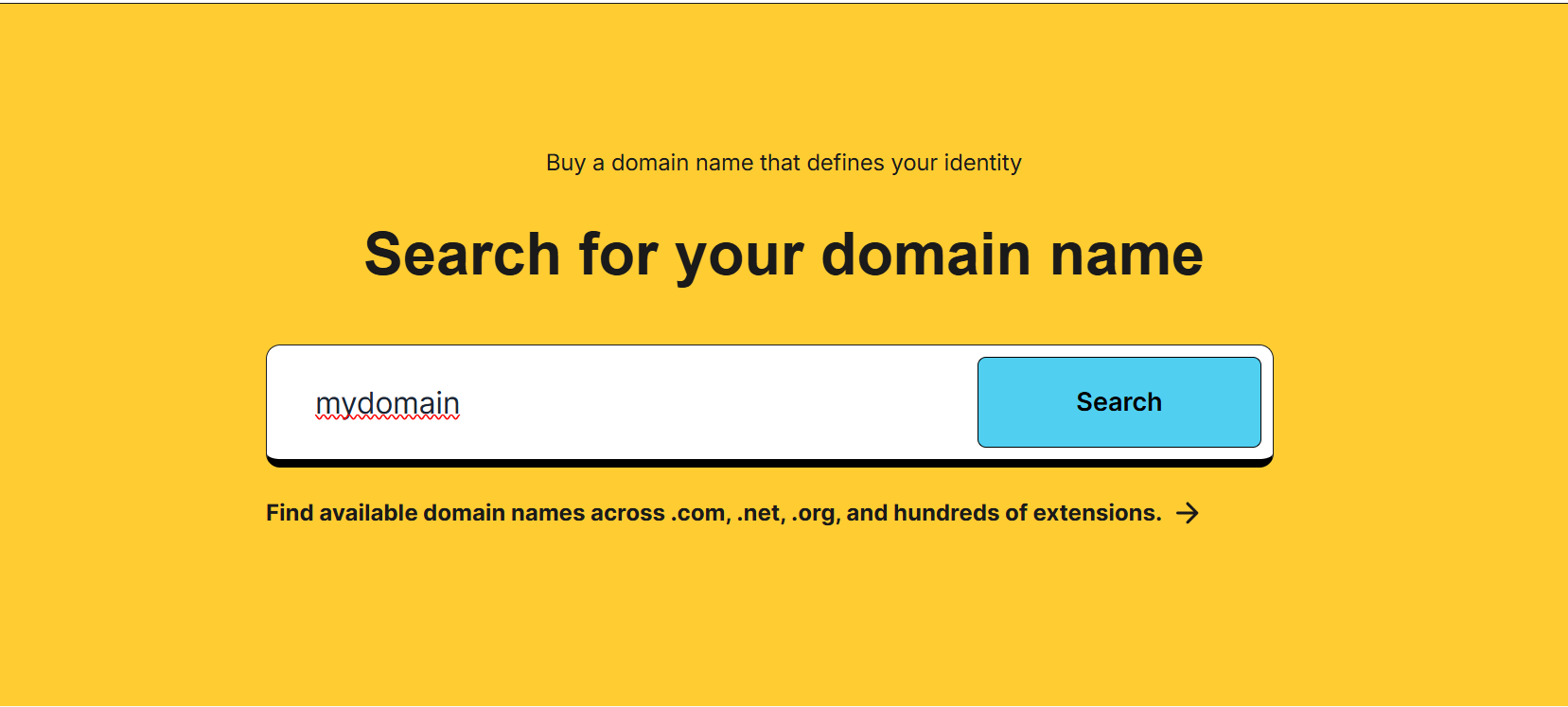
At this stage, focus on whether the domain feels clear, relevant, and easy for customers to connect with your business. You do not need to finalize every brand detail here, but the name should still make sense for the website you plan to build.
Once you find an available option that fits your business, select it and continue the domain registration process. Our guide on choosing a domain name can help you get a deeper understanding of the dos and don’ts of the process.
Step 2: Choose a domain extension
A domain extension is the ending of your web address, such as .com, .net, or .co. It is also called a top-level domain, and it plays a bigger role than many first-time buyers expect. The extension you choose can shape how customers read your domain name, remember your business, and trust your website.
For many small businesses, .com is the familiar default because customers recognize it quickly. Still, it is not the only strong option. A different domain extension may be a better fit if it better reflects your industry, location, or brand identity.
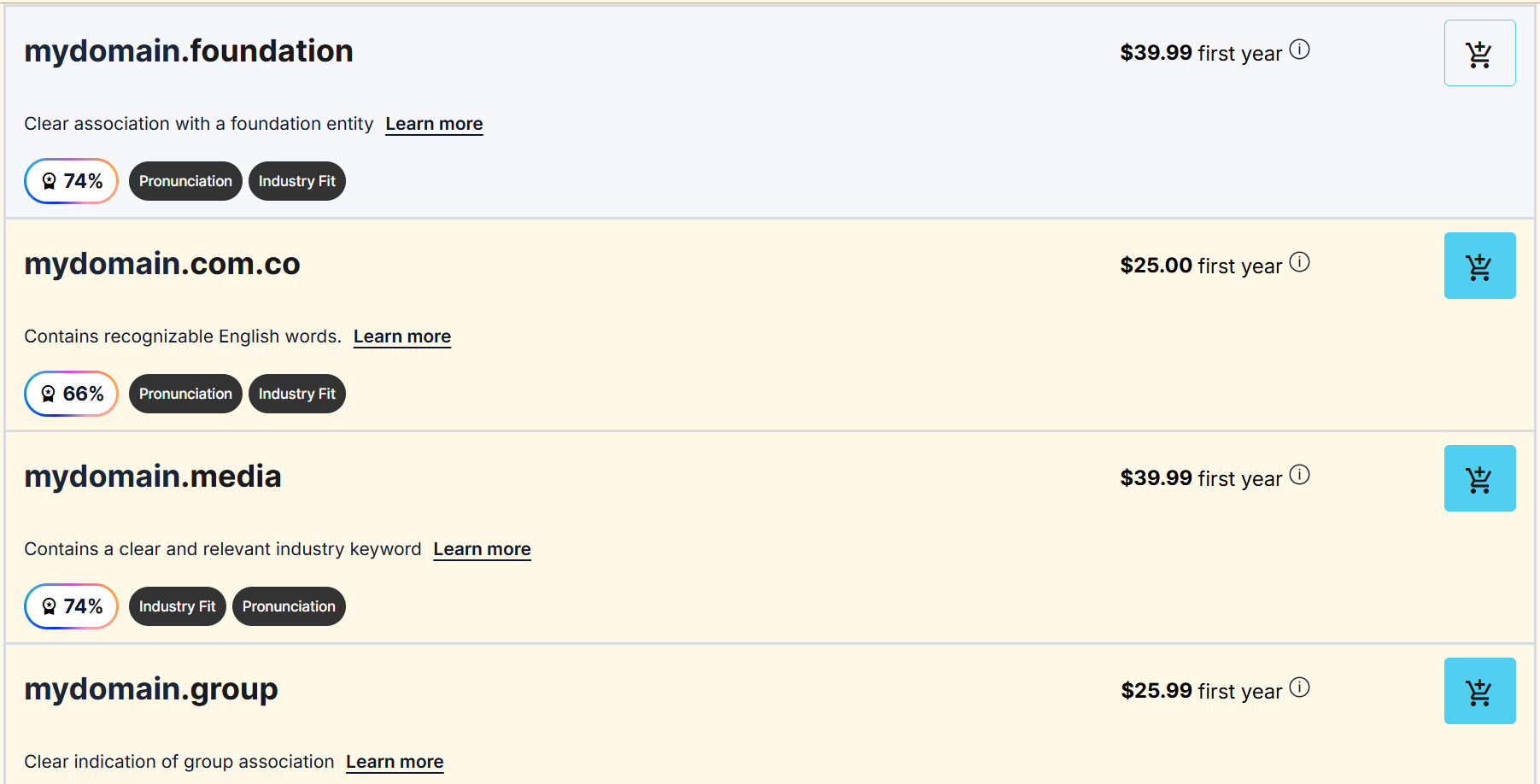
We offer a wide range of extensions, so use this step to compare what feels most natural for your custom domain. The best choice should support your business name, look professional in search results, and make your web address easy to share across marketing materials, email, and social media.
Step 3: Select your domain and review options
Once the search results appear, compare the available domains before you choose one. Your desired domain may be ready to register, but it is still worth reviewing similar names, different extensions, and close variations of your desired name. A small change can make the domain easier to remember or better aligned with your business.
If your first choice is taken, consider the alternatives through the same practical lens. Does the name still sound professional? Is it easy to spell? Would customers connect it with your brand? A unique domain should feel natural, not forced just because the perfect domain was unavailable.
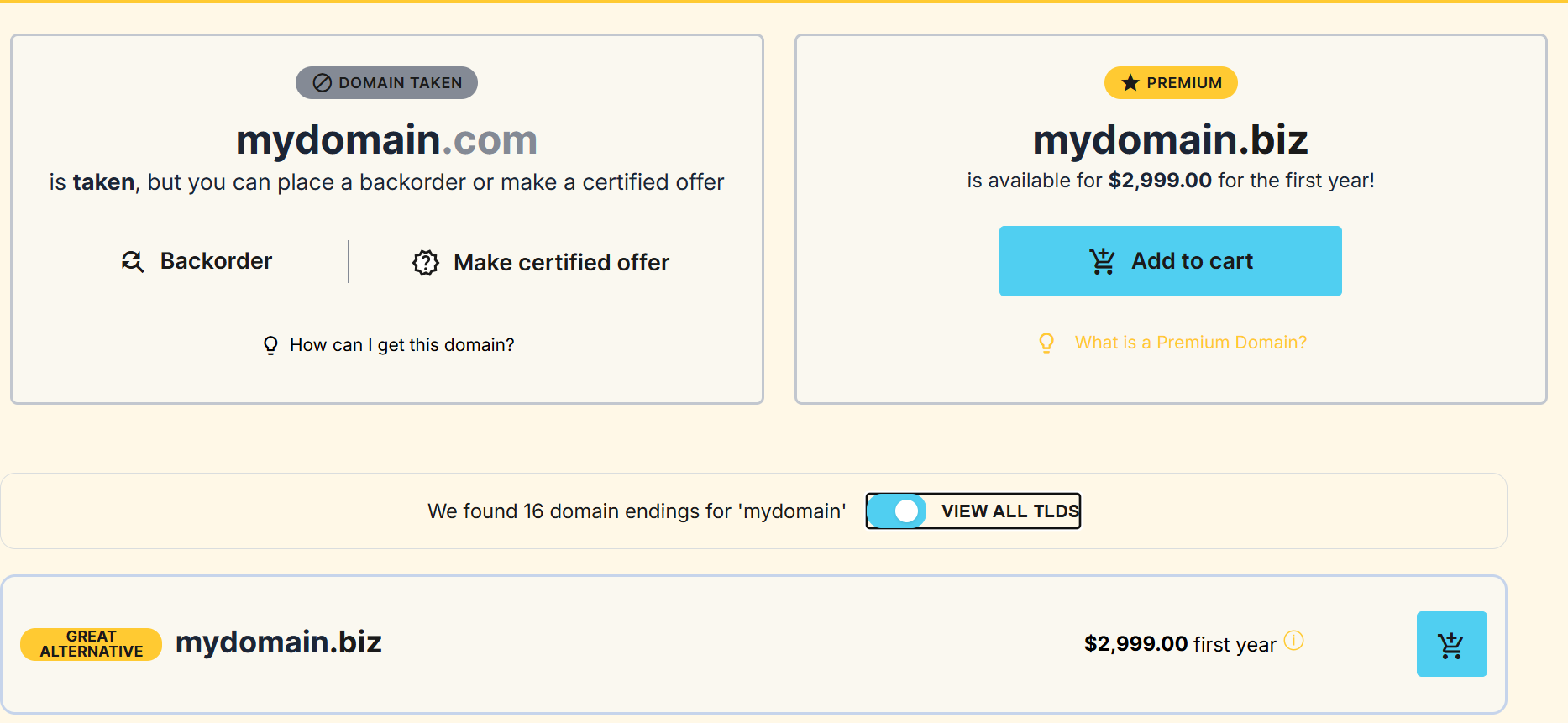
You may also see premium domains in the results. These often cost more because they are short, memorable, or built around high-demand keywords. In some cases, an existing domain may already belong to another person or business. If that happens, the current owner or domain owners may not be interested in selling, or the price may be higher than expected.
Choose the option that gives your business the clearest, most credible path forward without stretching your budget.
Step 4: Add to cart and checkout
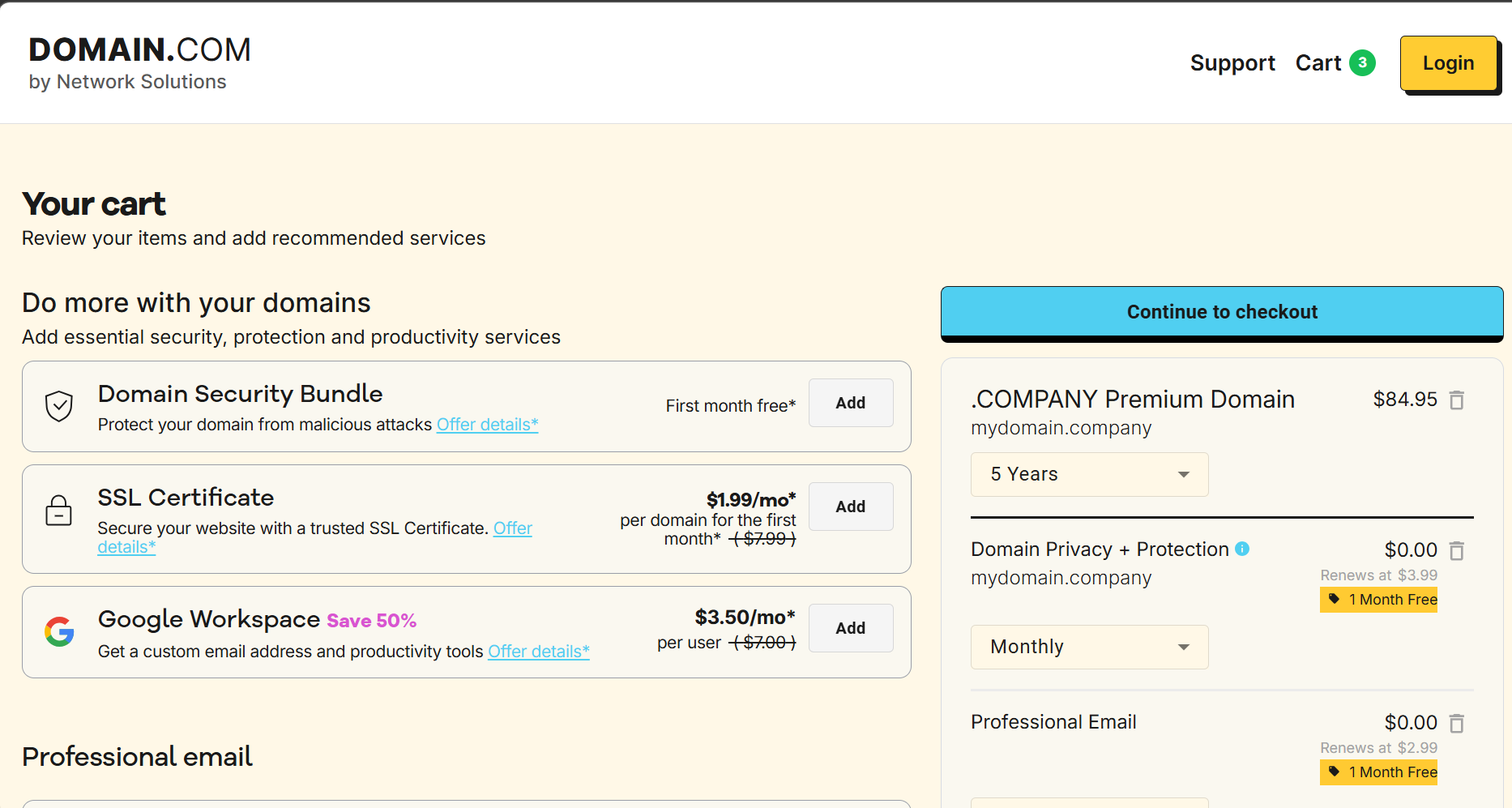
After you choose a domain, add it to your cart and review the checkout details before completing the purchase. This is where you confirm the domain registration term, renewal price, and the account where your domain will be managed.
Most registrars let you register a domain for one or more years. A longer registration period can reduce the chance of accidental expiration, but the right choice depends on your budget and how certain you are about the name. Also, review whether the domain is set to automatically renew, as this helps keep your website address active after the initial registration term ends.
You’ll need to enter accurate contact info during checkout. This information is tied to your registration record, though Whois privacy or privacy protection can help keep certain personal details from being publicly visible.
You may also see optional add-ons, such as email, website tools, or security features. Treat these as business considerations rather than automatic upgrades. Choose what supports your next step, complete checkout, and save your confirmation details for your records.
After you buy a domain name
Completing domain registration gives you control of the domain name, but it does not automatically launch a full online presence. After purchase, take a few minutes to confirm ownership, review your settings, and connect the domain to the tools your business needs.
Use this post-purchase checklist to keep everything in order:
- Ownership verification: Check your inbox for any confirmation or verification email from your domain registrar. Some domain registrations require you to confirm your contact details before the domain becomes fully active.
- Account information: Review your name, business details, billing information, and email address. Your account is where you’ll manage the domain, update settings, and receive important renewal notices.
- Domain settings: Check your DNS records before making changes. These records control where your domain points, including your website, email service, and other connected tools. If you are not ready to connect anything yet, leave the default settings in place.
- Website connection: Point the domain to your website platform or hosting provider once your site is ready. This step makes your web address lead visitors to the right place online.
- Professional email: Set up a domain-based email address, such as [email protected], to make your communication look more credible and consistent with your brand.
- Privacy protection: Review whether privacy protection is available for your domain. It can help keep certain contact details from appearing in public domain records, depending on the extension and registrar policies.
- Renewal preferences: Check whether your domain is set to automatically renew and confirm the renewal price. This helps prevent accidental expiration, especially if your domain expires while your website, email, or marketing campaigns are active.
A domain is part of your business identity, so treat it like an asset you need to manage, not a one-time purchase.
Common mistakes to avoid when buying a domain name
A registered domain is easier to manage when you understand the terms before you buy. Review these common mistakes to protect your purchase, avoid confusion, and keep your business online without unnecessary setbacks.
- Renewal price: Check the renewal price before completing your purchase. Some domains have lower first-year costs but higher renewal rates.
- Expiration notices: Keep your account email address up to date so you receive renewal reminders. If your domain expires, your website, email, or connected services may stop working. You can’t keep a domain forever, so expiration reminders can help you avoid losing it.
- Grace period: Review your domain registrar’s expiration policy. A grace period may give you extra time to renew, but timing, availability, and fees can vary.
- Optional add-ons: Review them before checkout to see what is included. This helps you avoid confusion around privacy protection, email, security tools, or possible hidden fees.
- Privacy assumptions: Confirm whether privacy protection is available for your domain extension. Availability depends on the domain, registrar policies, and registration rules.
- Contact information: Update your contact details whenever your business email, billing information, or ownership details change. Accurate records make it easier to manage, renew, and recover your domain.
How Domain.com helps
Once you know what to look for, we can help you move from idea to registration with fewer unknowns. As a domain registrar, we give you a practical place to search for a custom domain, compare available extensions, and complete domain registration in one flow.
You can start with our domain name search tool to look up your preferred domain and see available alternatives if your first choice is taken. From there, you can review options that support your next step, whether that means connecting the domain to a website, setting up professional email, or adding privacy protection where available.
The goal is not just to buy a domain. It is to secure an online identity that your business can use across your website, email, marketing, and customer communications with more confidence.
Frequently asked questions
Start by using a domain search tool to check whether your preferred domain name is available. If it is, choose your domain extension, review the domain registration details, and complete the purchase through a domain registrar.
Use a domain search tool and enter your desired domain name. If you use an exact match, you can compare similar variations or choose another domain extension.
A .com extension is a familiar choice for many businesses, but it is not the only option. Choose a domain extension that fits your brand, audience, and website goals.
After you buy a domain name, verify your ownership, review your account settings, and connect the domain to your website or professional email. You should also check your renewal preferences.
If your domain expires, your website or email may stop working. Some registrars offer a grace period, but rules and fees vary, so renew as soon as possible.
Buy your domain name with confidence
Buying a domain becomes much easier once you know what to check. A strong domain name should support your online identity, fit the website you want to build, and give customers a clear way to find your business.
Before you complete domain registration, choose a name carefully, check availability, review the registration terms, and confirm your renewal settings. These small steps help you avoid confusion later and keep your domain active as your business grows.
When you’re ready to buy a domain name, choose us as your domain registrar to search for available options and register the name that fits your next move. Start with our domain name search tool and take the next step toward building your business online.